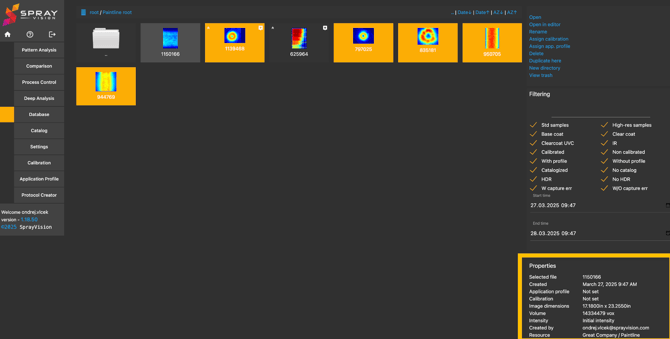
1. Database Structure
- The database allows users to create a structured folder system.
- The top-level directory is called "ROOT".
- You can organize folders the same way as in Windows, allowing for easy navigation and management.
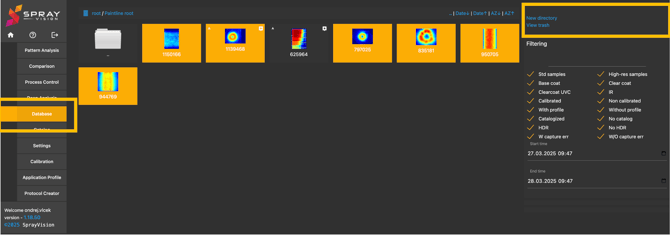
2. Working with Saved Images
Accessing Images
- Newly added images in the database are highlighted with an orange background.
- Clicking on an image opens a menu with available operations.
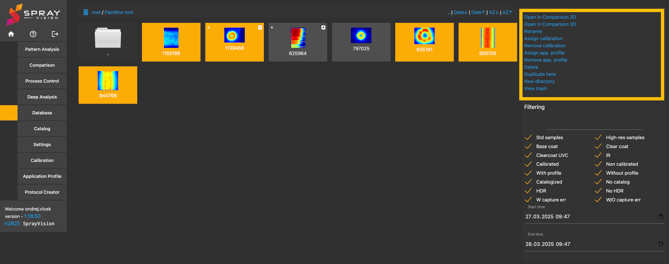
Available Operations
-
Open in Comparison (2D/3D) – Available when two or more images are selected.
-
Rename – Change the image name.
-
Assign / Remove Calibration – Assign/remove the paint calibration to the image.
-
Assign / Remove App. Profile – Assign/remove application profile to the image.
-
Delete – Move an image to the trash bin.
-
Duplicate Here – Create a copy within the same directory.
-
Create New Directory – Add a new folder.
-
View Trash – Access deleted images for recovery.
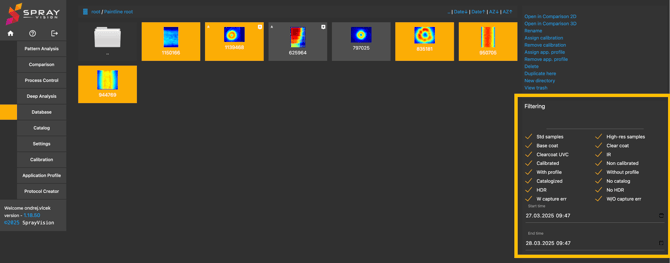
3. Filtering and Searching
-
Use filters to display specific types of images.
-
Filter images by name or date to quickly locate relevant files.
4. Image Properties
-
Each image contains metadata properties recorded during capture.
-
These properties cannot be modified.